
NREGA Job Card Download - Get Job Card Online and Offline
NREGA, also known as MGNREGA, is a scheme in India guaranteeing 100 days of work annually to rural households for unskilled labor, aimed at creating public assets and boosting rural employment since 2006.
If you own a job card or just applied for one, you can download it easily. Here, I'll show you how to get your job card simply.
NREGA Job Card Download
The NREGA Job Card is an important document issued under the Mahatma Gandhi National Rural Employment Guarantee Act (MGNREGA). If your job card has already been generated, you can easily view, download, or print it online through the official NREGA portal. The entire process is free and does not require any login credentials from the applicant.
Below is a complete and detailed explanation of how to download the NREGA Job Card online.
- First, open the official NREGA portal in your web browser: https://nrega.dord.gov.in/
This is the central website managed by the Ministry of Rural Development and provides access to all NREGA-related services, including job card details, muster rolls, and wage payments.
- On the homepage of the website, you will see a Login option in the menu.
- Click on Login
- A drop-down menu will appear
- From the menu, select Quick Access
- Then click on Panchayats GP/PS/ZP Login
This option allows users to access Gram Panchayat-level reports without entering a username or password.
- After selecting the Panchayat login option, a new page will open.
- Click on Gram Panchayats – Generate Reports
- You will now be asked to select your State
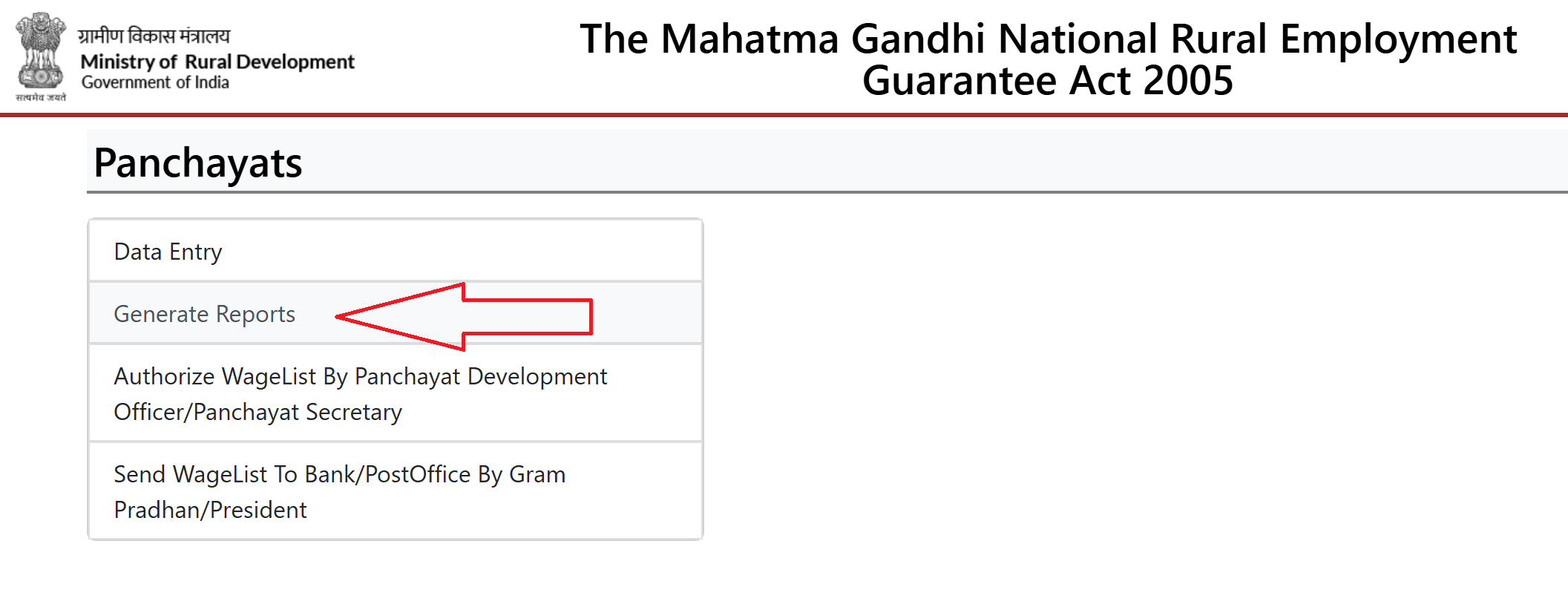
- Choose your state carefully, as all job card data is organized state-wise.
- Once the state is selected, the next page will ask you to choose your location details step by step:
- Select your District
- Select your Block
- Select your Gram Panchayat
After entering all the required details, click on the Proceed button.
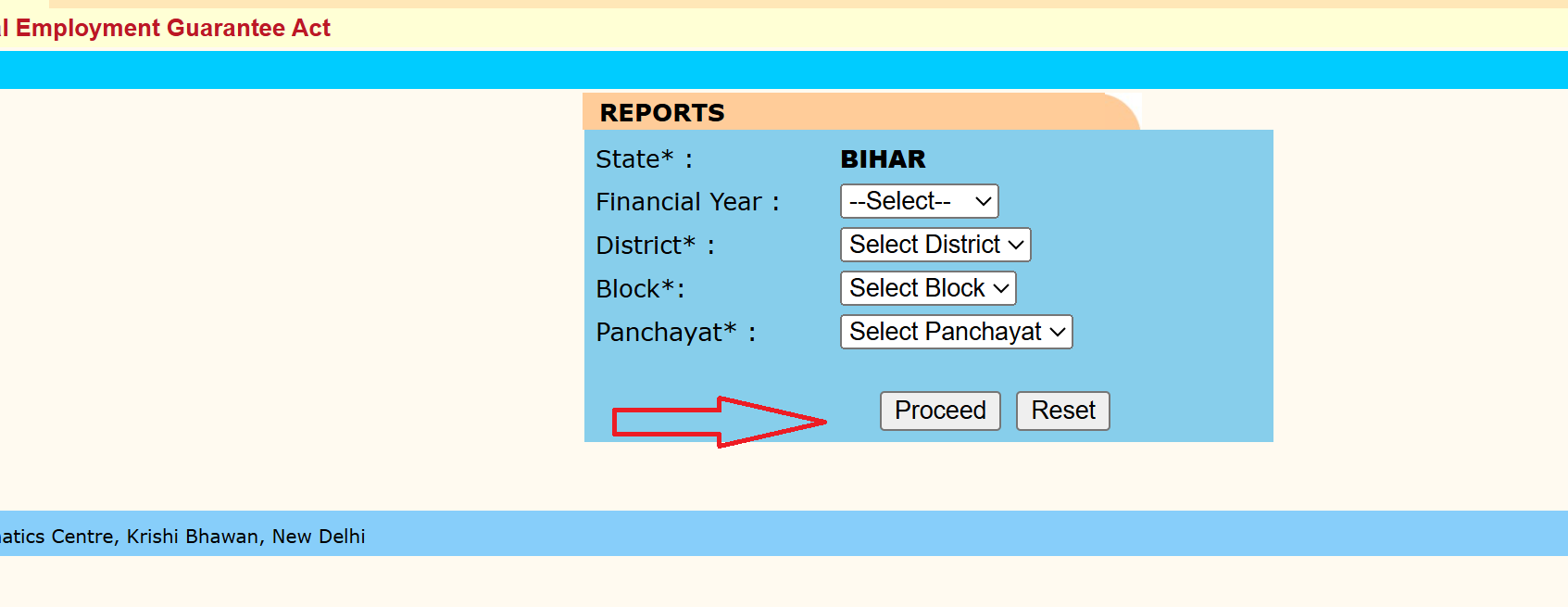
This step is important because NREGA job cards are issued and maintained at the Gram Panchayat level.
- After clicking Proceed, a list of report categories will appear on the screen.
- Look for the section titled R1. Job Card / Registration
- Under this section, open the Job Card Related Reports menu
- Click on Job Card / Employment Register
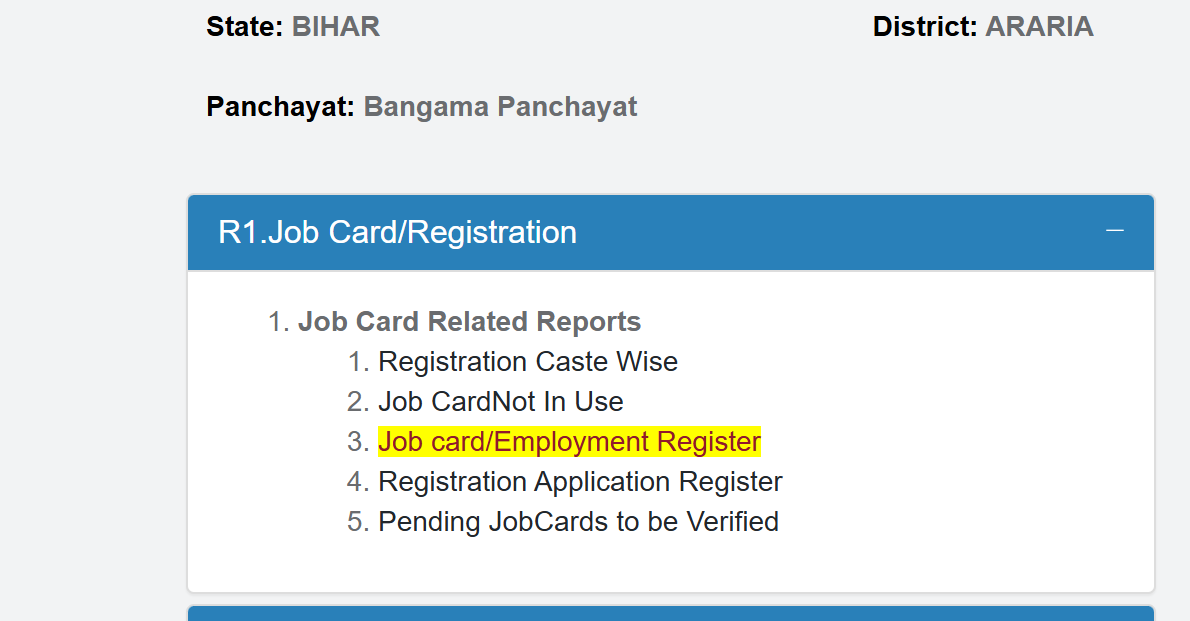
This option displays the complete list of all job cards issued in the selected Gram Panchayat.
- Once the Job Card / Employment Register opens:
- A village-wise list of job card holders will be displayed
- Search for your name or the head of household’s name
- You can also use Ctrl + F on your keyboard to quickly find your name
Each name in the list will have a Job Card Number next to it.
- To download or print your job card:
- Click on the Job Card Number shown next to your name
- Your complete job card details will open on the screen
- Click on Print Job Card
- Save the file as a PDF or take a direct printout
The printed job card is valid for applying for NREGA work.
What Information Is Available on the NREGA Job Card?
The NREGA Job Card contains detailed information related to the registered household, including:
- Name, age, and address of the beneficiary
- Names and number of adult household members
- Job Card Registration Number
- Details of work demanded under NREGA
- Work allocation status
- Muster roll entries
- Wage payment and transaction details
This information helps ensure transparency and allows workers to track their employment and payments.
How to Get an NREGA Job Card Offline?
To get an NREGA (National Rural Employment Guarantee Act) job card offline, follow these steps:
- Go to the Gram Panchayat office in your village or locality.
- Request an job card application form from the office.
- Provide all required information, including your name, age, gender, address, and details of family members. Ensure all information is accurate and complete.
- Attach necessary documents such as:
- Proof of identity (Aadhaar card, Voter ID, etc.)
- Proof of residence (Ration card, utility bill, etc.)
- Passport-sized photographs
- Submit the completed application form and attached documents to the Gram Panchayat office.
- The Gram Panchayat officials will verify the details provided in your application.
- Once verified, your job card will be issued. This process can take a few days to a few weeks, depending on the local administration.
- After approval, collect your job card from the Gram Panchayat office.
Tips
- Keep Copies: Make copies of your application and attached documents for your records.
- Follow Up: If there are delays, follow up with the Gram Panchayat office to check the status of your application.
- Eligibility: Ensure that you meet the eligibility criteria for the NREGA scheme before applying.
By following these steps, you can apply for and obtain an job card offline, which will enable you to access guaranteed employment opportunities under the scheme.