
Hamraaz - Personal Login, Sign UP, PaySlip / Form-16, @hamraazmp8.gov.in
The Hamraaz Web portal was developed by the technical team of the Adjutant General's Branch (MP-8) to facilitate communication for the service of soldiers. This portal enables army personnel to access various service-related information like form 16, pay calculator, payslip, etc.
On this page, you will find detailed information on how to log in and access your salary slip, along with other services such as a pay calculator, leave encashment, fund withdrawal status, and Part II order details.
Personal Login
If you are a soldier in the Indian Army and a registered user of the Hamraaz portal, you can check your salary slip or Form 16 by performing a personal login on the portal by following the steps below:
- Step 1. Access the Hamraaz Website: Open any web browser and go to the official website by entering this URL: web.hamraazmp8.gov.in.
- Step 2. Find the Personal Login Section: Search for the "Personal Login" section on the website's main page.
- Step 3. Input User ID and Password: On the login page, use your PAN Card Number as the User ID and enter your password in the provided field.
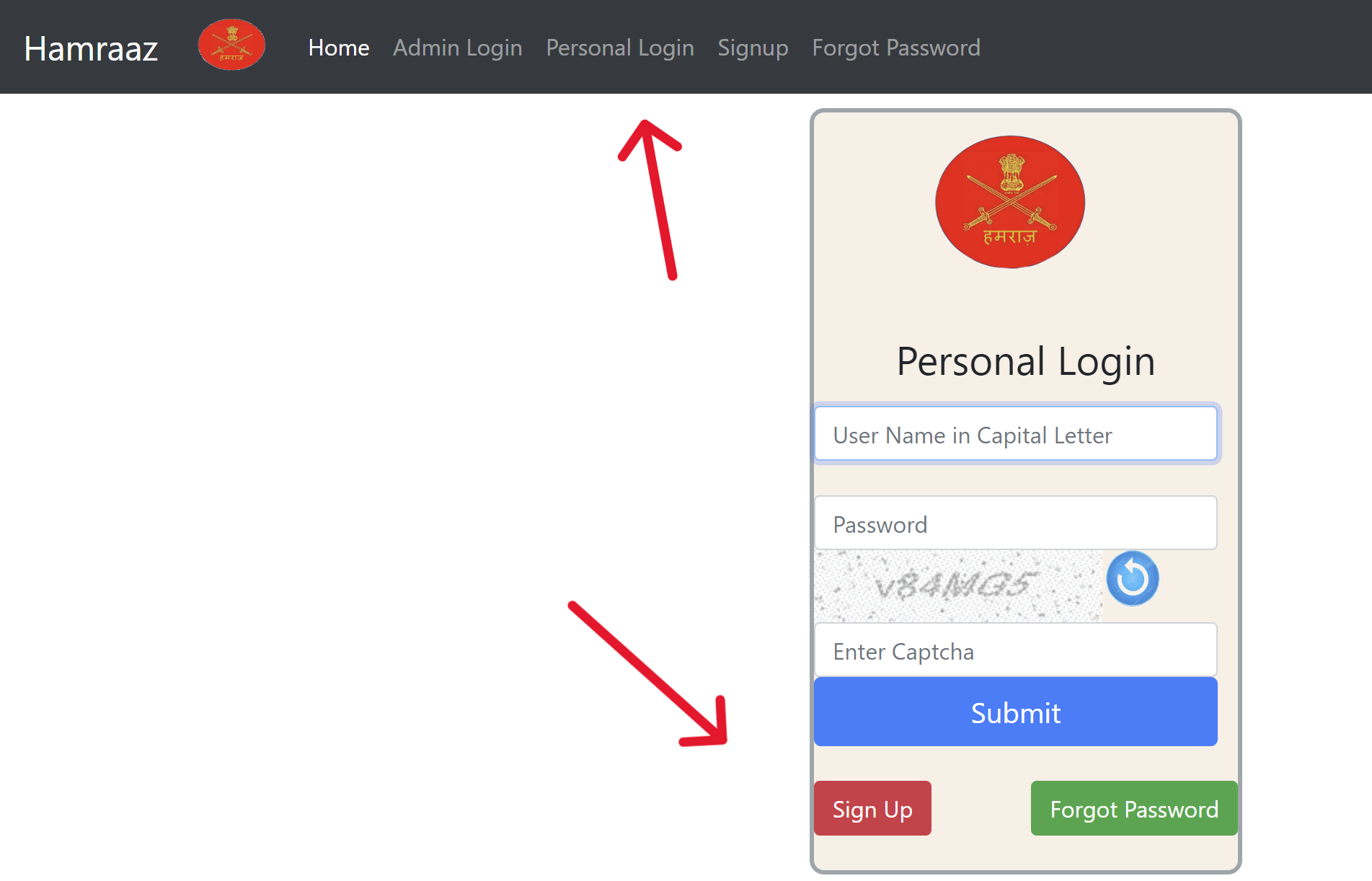
- Step 4. Submit Your Login Details: Click on the “Login” or “Submit” button once you've completed the fields to log into your account.
Prerequisites
According to the official notice, before you log in, please ensure the following:
- Only use the authorized link: hamraazmp8.gov.in
- Regularly update your device's software and apps.
- Avoid using public networks for internet access.
- Refrain from clicking on unknown links or opening attachments.
- Disable location services, Wi-Fi, and Bluetooth.
- Restart your device weekly.
- Only download apps from official stores.
- Secure your device with a PIN.
- Always log out properly after using this website.
Sign UP
If you have not registered on this portal, follow the steps below:
- Navigate to the official website.
- Find and click on the 'Sign Up' option located in the primary menu on the homepage.
- Enter your PAN card details and solve the captcha.
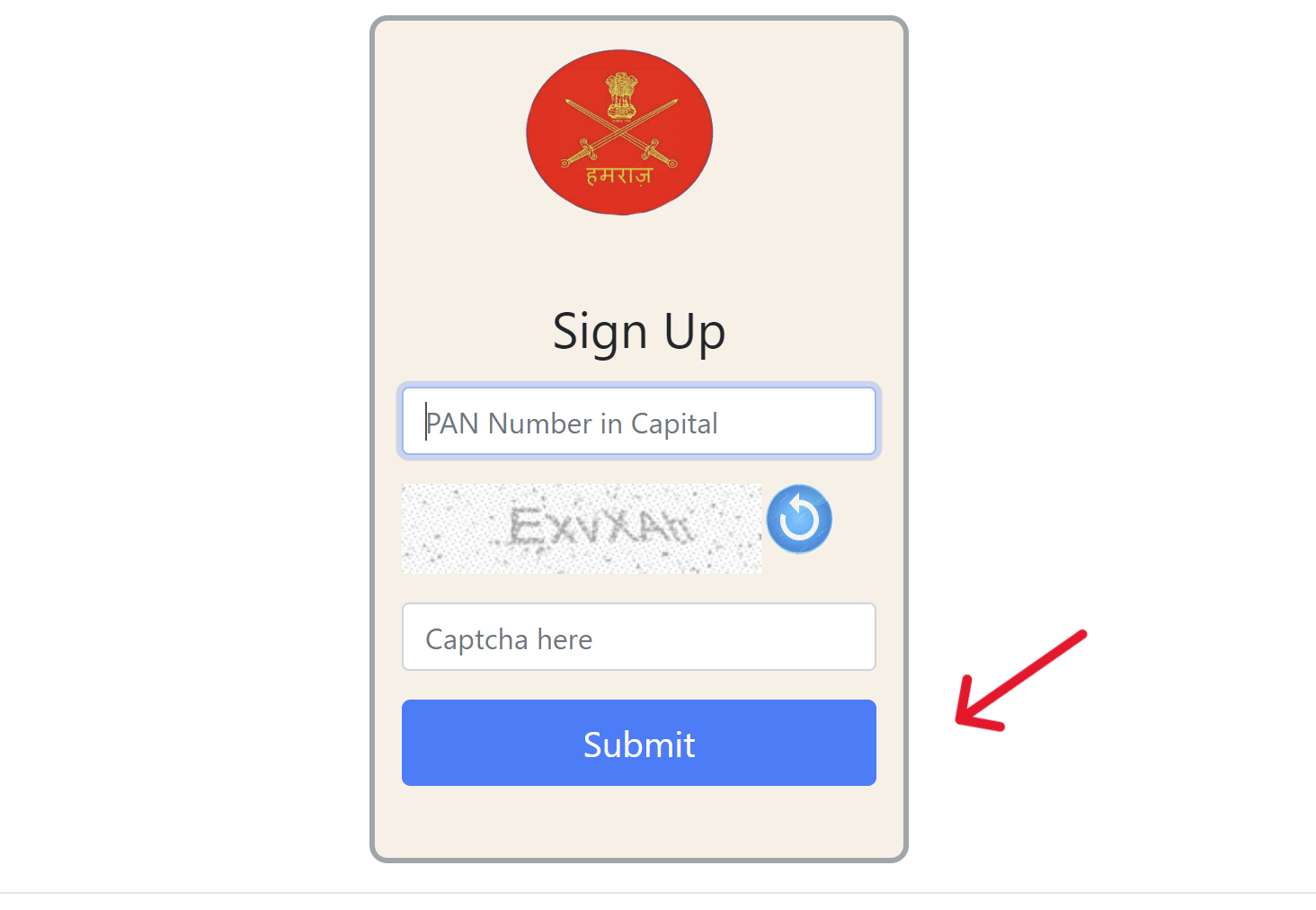
- Verify your account using your email or employment ID and your Date of Enrollment in the DDMMYY format.
- Review your details to ensure they are correct, then set your password.
- Select a security question and provide an answer.
- Click the 'Submit' button to complete your registration.
Forget Password?
If you have forgotten your password, you can recover it by following the steps below:
- Visit the official Hamraazmp8 portal.
- On the homepage, click the "Forgot Password" option in the menu bar.
- Enter your PAN card details and captcha, then click on the submit button.
- Now, you can reset your password using a security question or by mobile/email OTP.
Pay Calculator
If you want to use the pay calculator service on the official portal, follow the steps below:
- Visit the official portal.
- Click on the "Pay Calculator" option.
- Input parameters such as Pay Level before Promotion/MACP, Basic Pay before Promotion/MACP, Date of Promotion/MACP, and Existing Date of Next Increment (DNI).
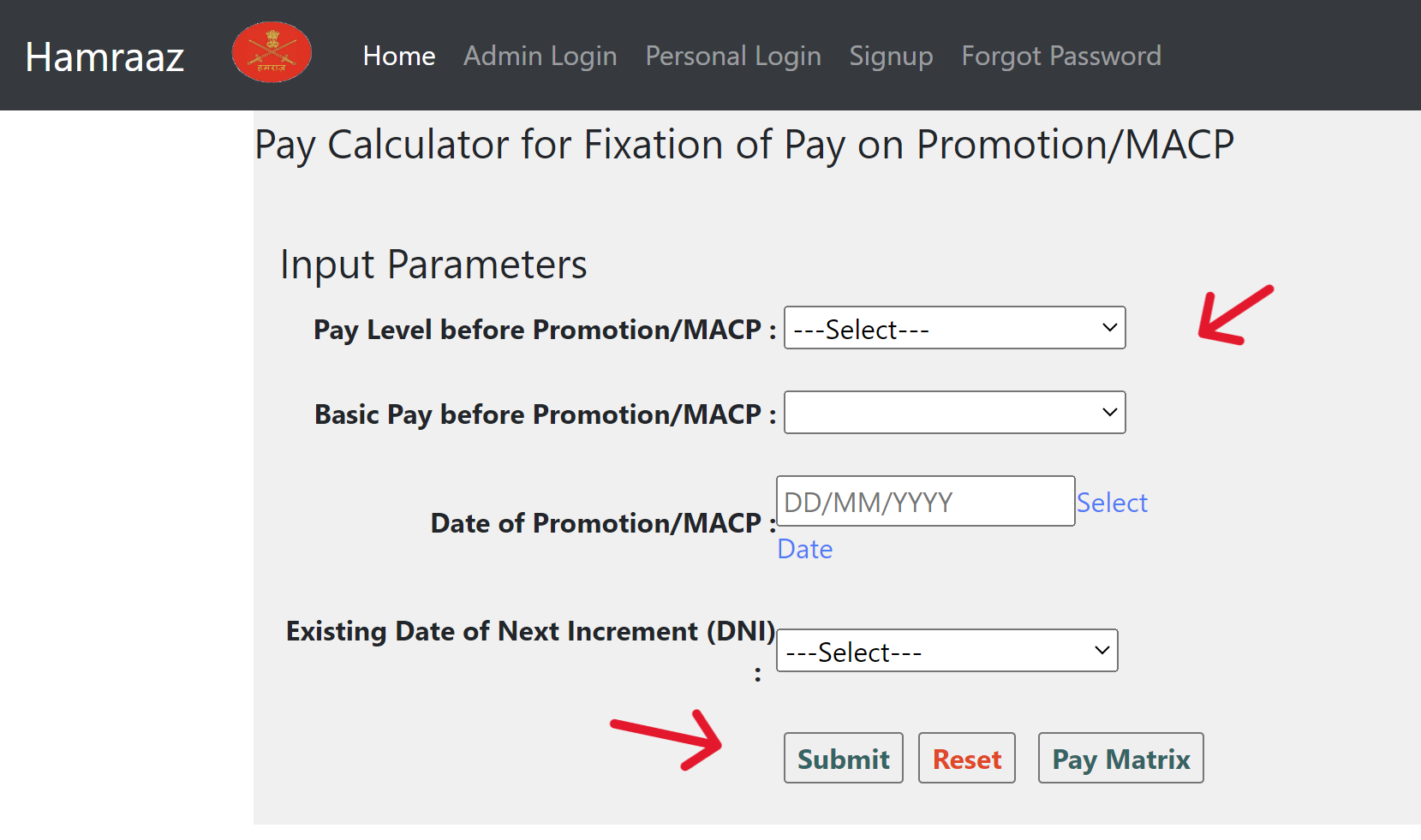
- Now click on the "Submit" button.
Additional Information
The Indian Army provides treatment for conditions like intellectual disabilities, cerebral palsy, autism spectrum disorder, and other developmental disabilities in children under 6 at 20 military hospitals. For more details, visit this link.
Indian Army Salary Structure (7th Pay Commission)
| Rank | Pay Level | Basic Pay (₹) | MSP (₹) | Approx. In-Hand/Month (₹, incl. allowances) |
|---|---|---|---|---|
| Sepoy | 3 | 21,700+ | 5,200 | 30,000–45,000 |
| Naik | 4 | 25,500+ | 5,200 | 40,000–50,000 |
| Havildar | 5 | 29,200+ | 5,200 | 45,000–60,000 |
| Naib Subedar | 6 | 35,400+ | 5,200 | 50,000–70,000 |
| Subedar | 7 | 44,900+ | 5,200 | 60,000–80,000 |
| Subedar Major | 8 | 47,600+ | 5,200 | 70,000–90,000 |
| Lieutenant | 10 | 56,100–1,77,500 | 15,500 | 1,00,000–1,25,000 |
| Captain | 10B | 61,300–1,93,900 | 15,500 | 1,10,000–1,40,000 |
| Major | 11 | 69,400–2,07,200 | 15,500 | 1,25,000–1,50,000 |
| Lt Colonel | 12A | 1,21,000–2,12,400 | 15,500 | 1,50,000–1,80,000 |
| Colonel | 13 | 1,30,600–2,15,900 | 15,500 | 1,80,000–2,00,000 |
| Brigadier | 13A | 1,39,600–2,17,600 | 15,500 | 1,80,000–2,20,000 |
| Major General | 14 | 1,44,200–2,18,200 | - | 2,00,000–2,50,000 |
| Lt General (HAG) | 15 | 1,82,200–2,24,100 | - | 2,25,000–2,75,000 |
| General | 18 | 2,50,000 (fixed) | - | 2,50,000+ |
Benefits and Other Allowances
| Benefit/Allowance | Amount |
|---|---|
| Transportation Allowances | Rs.3,600 + DA - Rs.7,200 + DA |
| Counterinsurgency | Rs.6,300 |
| Military Service Pay | Rs.15,500 (From Lt. to Brig) |
| Field Area Allowances | Rs.10,500 |
| Uniform Allowances | Rs.20,000 annually |
| High Altitude Allowances | Rs.5,300 |
| Parachute Pay | Rs.1,200 |
| Special Forces Pay | Rs.9,000 monthly |
| Siachen Allowance | Rs.42,500 |
| Flying Pay | Rs.25,000 |
| Casual Leave | 20 days |
| Study Leave | Up to 2 years with full pay |
| Encash Leave | Up to 300 days at last pay |
| Dearness Allowance | Same as civilian personnel |
| Pension | Lifetime |
| Gratuity & Foreign Postings | Eligible |
| Travel Concessions | Rail or air |
| Loans | Low-interest rates |
| Hospital Facilities | Free |
| Rations and Canteen | Free access |
Services Available on Hamraaz Portal
Once you have logged in, you can access these services through the portal.
| Financial Details | Personal Details | Communications | Account Settings |
|---|---|---|---|
| PaySlip/Form 16 | Part 2 Order Details | Inbox | Change Password |
| Fund Withdrawal Status | Family Details | Notifications | My Profile |
| Leave Encashment | Service Voter | Feedback Suggestions | Change Fund Subscription |
| PPO Details/AGI Claims | PAO (OR) Obsn | Grievances | Policy/Info |