
Driving Licence Download - Print / Download DL & LL PDF
In today's digital world, you can keep your driving licence on your smartphone! The electronic Driving Licence (eDL) is a handy, safe, and eco-friendly way to carry your driving details.
With an eDL, there's no stress about losing or damaging your physical licence. It's officially recognized and serves as a valid ID.
Download
Two primary ways to download your driving license:
Method 1: Parivahan Website
- Step 1: Start by visiting the official Parivahan website: parivahan.gov.in.
- Step 2: Locate the "Online Services" tab and click on "Driving Licence Related Services."
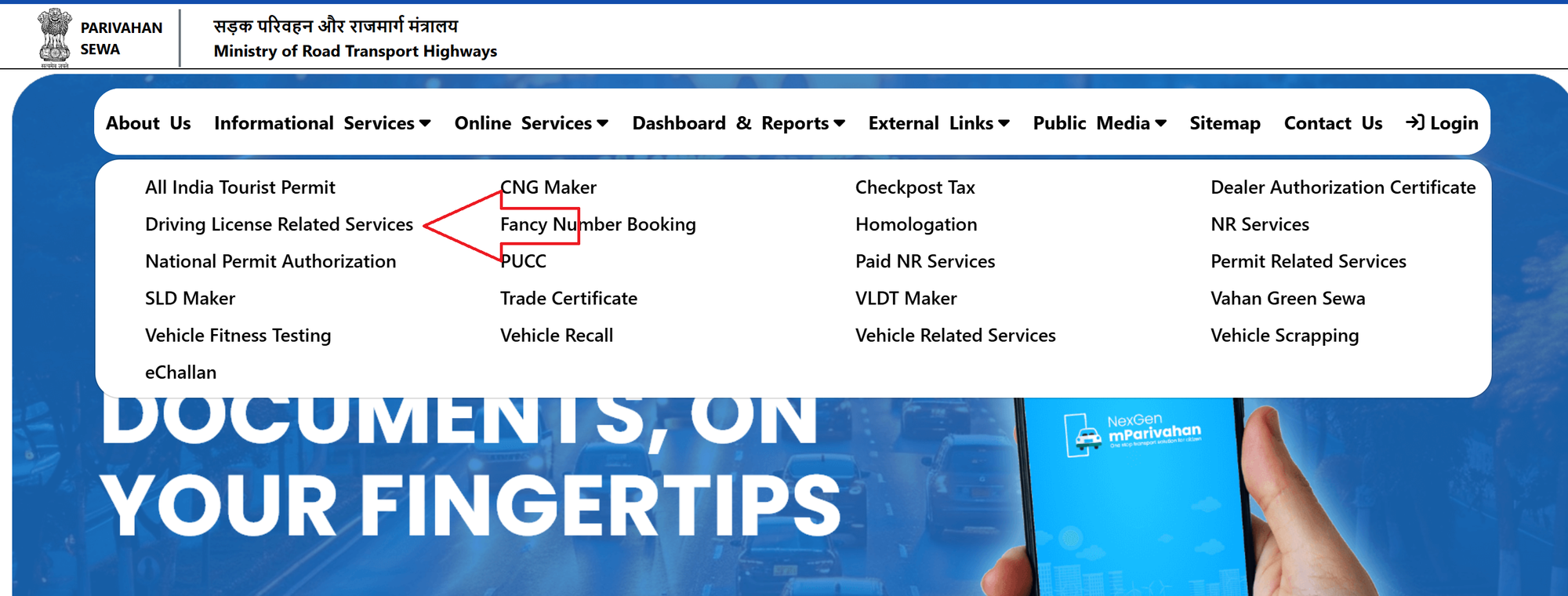
- Step 3: Choose your state from the available options.
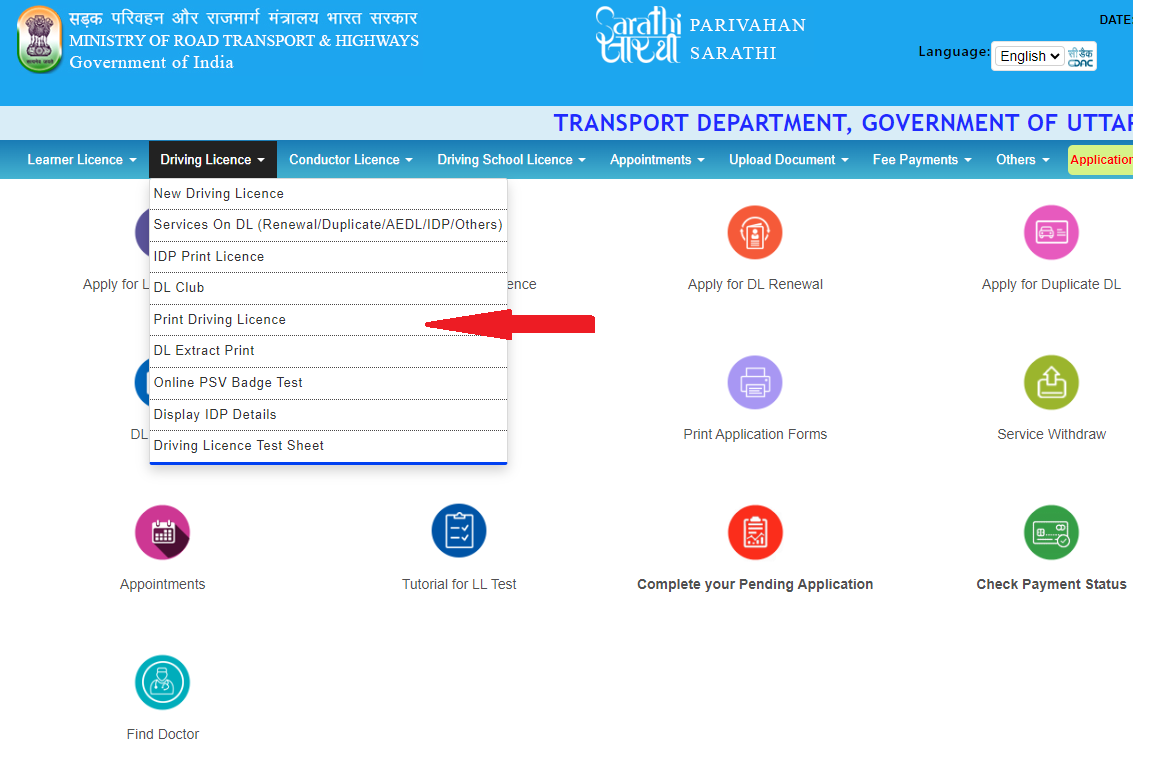
- Step 4: A new window will open, from there choose the “Driving Licence” drop down menu.
- Step 5: From the drop down click on “Print Driving Licence”.
- Step 6: Enter your date of birth, application number, and provide the captcha.
- Step 7: Click "Submit." Your license details will appear. You can then download and save it as a PDF.
💡
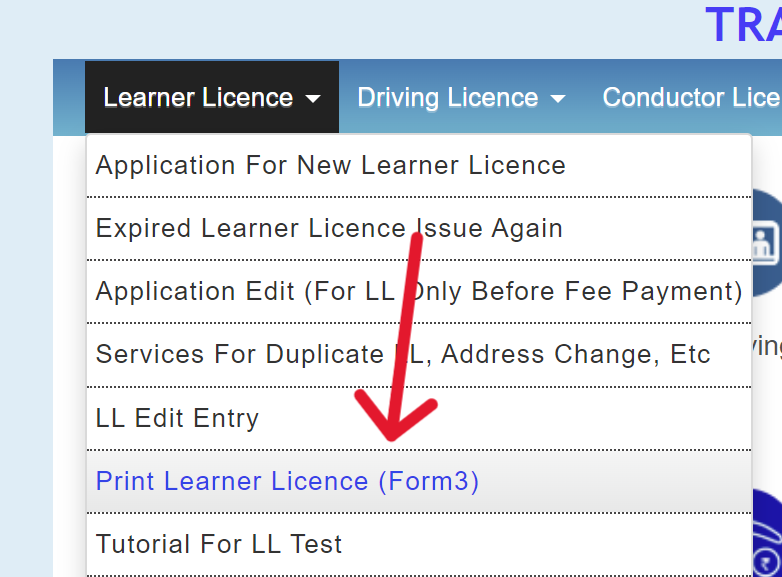
You can also print or download your learner licence by clicking on "Print Learner Licence (Form 3)" in the learner licence menu.
Method 2: DigiLocker
- Step 1: Head to the DigiLocker website: digilocker.gov.in.
- Step 2: If you already have a DigiLocker account, log in using your Aadhaar, username, or mobile number. Otherwise, create a new account.
- Step 3: An OTP will be sent to your registered mobile number for verification.
- Step 4: Provide the 6-digit security PIN for your DigiLocker account.
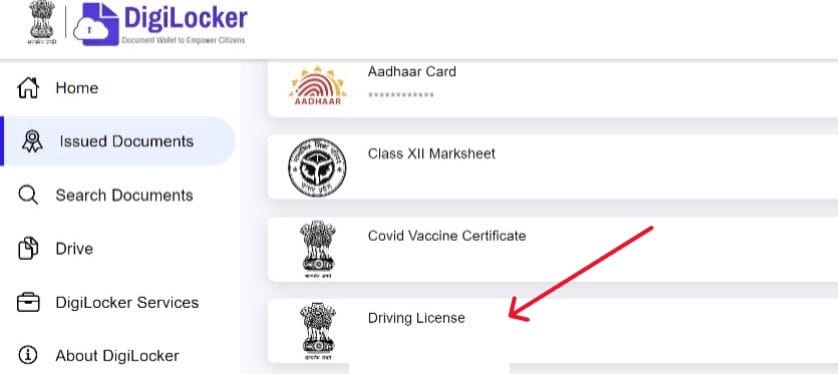
- Step 5: Choose "Driving Licence" from the "Issued Documents" section.
- Step 6: Enter your driving license number and click "Get Document."
- Step 7: Your digital driving license will be there. Simply click "Download" to save it.
💡
If you can't find your driving license in the issued documents section, you can search for it by entering your driving license number and date of birth.
💡
You can also store your virtual driving license in the NextGen mParivahan mobile app.
Download Learner's Licence
Steps to Download Your Learner’s Licence:
- Step 1: Open the Learner License menu on the Sarathi Parivahan portal.
- Step 2: Choose Print Learner’s License (Form-3).
- Step 3: A new page will appear with options to download the license using:
- Application Number
- License Number
- Mobile Number
- Step 4: Enter your date of birth and the captcha code.
- Step 5: Click Submit to download your Learner's License.
💡
If you’ve forgotten your application number, you can retrieve it by entering the required details under the "Others" menu in the "Search Related Application," "DL Search," or "Find Application Number" sections.
💡
The digital version of a driving licence downloaded through DigiLocker or mParivahan is legally valid across India.
Benefits
Downloading a driving license in digital format offers several benefits:
| Benefit | Description |
|---|---|
| Convenience | Access your driving license on your smartphone without needing the physical card. |
| Safety | Store digital licenses in secure apps or digital wallets, reducing the risk of loss or damage. |
| Verification | Digital licenses often include QR codes or digital signatures for easy authenticity verification. |
| Accessibility | Retain proof of driving credentials digitally if the physical license is lost or while awaiting a replacement. |
| Environmentally Friendly | Reduces the need for physical documents, saving paper and reducing waste. |
| Up-to-Date Information | Easily update digital licenses with new information, keeping records current. |
💡
Downloading a digital driving licence via these government platforms is free of charge.